
Android Find Hub Bluetooth removal confirmed in latest updat
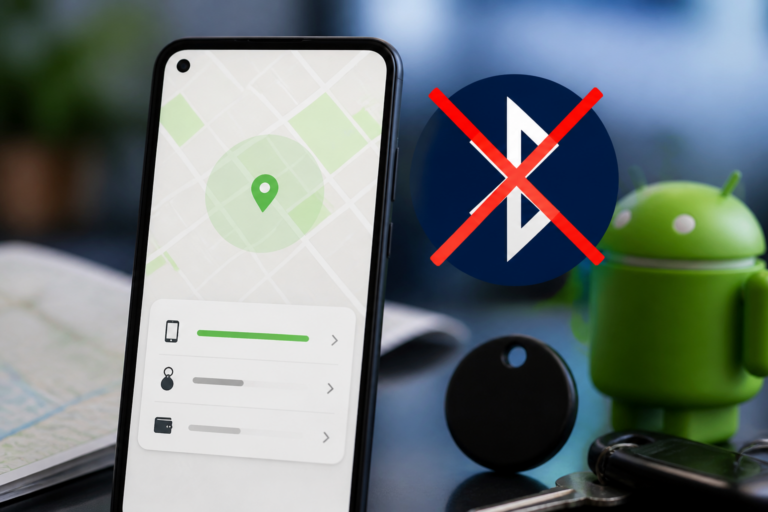
Android Find Hub Bluetooth removal is the focus of this technology-news update.
Android’s Find Hub App Now Lets You Remove Old Bluetooth Headphones and Earbuds
Managing Bluetooth devices on Android has often been a necessary but somewhat cumbersome task, particularly for users who have paired multiple headphones and earbuds over time. With its latest update, Android’s Find Hub app introduces a useful new feature: the ability to remove old Bluetooth headphones and earbuds from device lists. This enhancement helps reduce clutter and simplifies the management of connected devices, streamlining how users maintain their device ecosystem for a more organized and efficient experience.
Overview of the Latest Update to Android’s Find Hub App
The Find Hub app on Android is designed to help users locate lost devices, including those equipped with trackers or linked to a Google account. Until now, the app’s device list could become overcrowded with every Bluetooth headphone or earbud ever connected, complicating navigation and tracking of actively used devices. According to a report from 9to5Google, the latest update enables users to selectively remove outdated Bluetooth audio devices directly from the Find Hub interface.
This addition builds naturally on the app’s core focus on device discovery and management. By allowing users to delete old Bluetooth headphones and earbuds, Find Hub enhances control over device inventories, reducing confusion and improving usability.
How to Remove Old Bluetooth Headphones and Earbuds in Find Hub
Removing old Bluetooth headphones and earbuds within the Find Hub app is designed to be straightforward and user-friendly. While exact interface details may vary depending on device and Android version, the general procedure involves:
– Opening the Find Hub app and accessing the list of connected or previously connected devices.
– Selecting the Bluetooth headphones or earbuds you want to remove.
– Entering the device details or options menu, where a new “Remove” or “Forget” button is available.
– Confirming the removal, which deletes the device from the Find Hub app’s records.
This feature supports a wide range of Bluetooth audio devices that connect via common profiles used by headphones and earbuds. Although primarily targeted at consumer Bluetooth audio products, it may also apply to certain professional-grade headphones that use standard Bluetooth protocols.
In addition to this removal function, the Find Hub app includes minor user interface updates that highlight device management options more clearly, helping users distinguish between actively paired devices and those eligible for removal.
Benefits for Users, Businesses, and Developers
The introduction of Bluetooth device removal in Android’s Find Hub app offers advantages for several user groups:
– End Users: Removing old Bluetooth headphones and earbuds declutters the app interface, making it easier to find and manage current devices. This reduces confusion and aids troubleshooting related to battery and connectivity issues.
– Businesses: Organizations managing fleets of Bluetooth devices—such as wireless headsets in call centers or retail environments—can more accurately track active assets and retire obsolete devices from their Find Hub inventory, enhancing operational efficiency.
– Developers: The feature may open new opportunities for third-party apps or services using the Find Hub API to incorporate device removal capabilities, providing users with greater control within their own ecosystems.
Android Find Hub Bluetooth Removal in the Context of Device Management
Before this update, managing paired Bluetooth devices on Android typically required navigating through system Bluetooth settings, which vary widely by manufacturer and Android version. Other platforms, like iOS, have long allowed users to forget or remove Bluetooth devices directly from device management interfaces.
By integrating Bluetooth device removal directly into the Find Hub app, Google aligns with a broader strategy to centralize device tracking and management. This complements ongoing Android improvements in Bluetooth connectivity stability and user privacy controls, offering a more unified interface for managing connected gadgets.
Compared to previous tools, the Find Hub app’s new removal feature reduces reliance on system Bluetooth menus, particularly for users with multiple devices linked to their Google accounts. It consolidates management within a single, focused application dedicated to device location and oversight.
Limitations and Remaining Questions
Despite its benefits, the current implementation of Bluetooth device removal in Find Hub has some limitations and open questions:
– Device Support: While broadly aimed at Bluetooth headphones and earbuds, it remains unclear whether all brands and models, especially niche or legacy devices, are fully supported.
– Bulk Removal: At launch, the app appears to support only manual, one-by-one device removal. There is no indication of bulk removal or automated cleanup for extensive device lists.
– User Feedback: Since the update is recent, comprehensive user feedback regarding stability, usability, and potential issues is limited.
– Automation: It is not yet known whether future versions will introduce scheduled or conditional removal of inactive or disconnected devices.
Future Prospects for Android’s Find Hub App
The ability to remove Bluetooth devices marks a meaningful but incremental improvement to Find Hub’s functionality. Potential future enhancements could include:
– Expanded support for a wider range of Bluetooth profiles and accessory types.
– Options for bulk removal to simplify management for users with many paired devices.
– Deeper integration with Android system settings and other Google services for cross-platform device management.
– Enhanced automation features that suggest or automatically clear out inactive devices.
User and developer communities are likely to monitor these developments closely, advocating for further refinements that reduce friction in managing Bluetooth devices on Android.
Key Takeaways
– Android’s Find Hub app now allows removal of old Bluetooth headphones and earbuds, addressing longstanding user requests for improved device list management.
– This feature simplifies decluttering Bluetooth device inventories directly within the app, without requiring navigation of system Bluetooth settings.
– It benefits individual users, businesses managing device fleets, and developers integrating device management tools.
– Current limitations include lack of bulk removal and uncertain compatibility across all Bluetooth devices.
– Future updates may expand functionality, improve automation, and deepen integration within Android’s ecosystem.
Conclusion: What to Watch Next
The addition of Bluetooth device removal in Android’s Find Hub app represents a practical step forward for device management on the platform. While the initial rollout focuses on manual removal of individual devices, it establishes a foundation for more comprehensive and user-friendly features in the future.
Users should watch for app updates that expand device support and enhance functionality. Businesses and developers may find opportunities to leverage this capability to streamline operations and create tighter integrations. Overall, this update reflects Google’s ongoing commitment to improving control over connected devices within the Android ecosystem.
As Bluetooth technology evolves and the number of connected devices grows, tools like Find Hub will play an increasingly important role in helping users maintain clear and manageable device environments.
Frequently Asked Questions
What new feature has been added to Android’s Find My Device app regarding Bluetooth headphones and earbuds?
The Find My Device app now allows users to remove old or unused Bluetooth headphones and earbuds from their device list.
Who can benefit from the ability to remove old Bluetooth headphones and earbuds in the Find My Device app?
Android users who have paired multiple Bluetooth audio devices over time can benefit by cleaning up their device list and managing their connections more easily.
Is the feature to remove old Bluetooth headphones and earbuds available on all Android devices?
The feature is available on Android devices that support the latest version of the Find My Device app, typically running Android 10 or higher with updated app versions.
Does removing old Bluetooth headphones or earbuds through the Find My Device app affect their functionality?
Removing a device from the Find My Device app only removes it from the device list; it does not erase or disable the Bluetooth headphones or earbuds themselves.
Are there any privacy or security benefits to removing old Bluetooth devices from the Find My Device app?
Yes, removing old Bluetooth devices helps reduce clutter and can prevent unauthorized tracking or confusion over device ownership, enhancing user privacy and security.
Source: Original reporting

Leave a Reply