
Anthropic Claude Code auto mode enhances AI coding efficienc
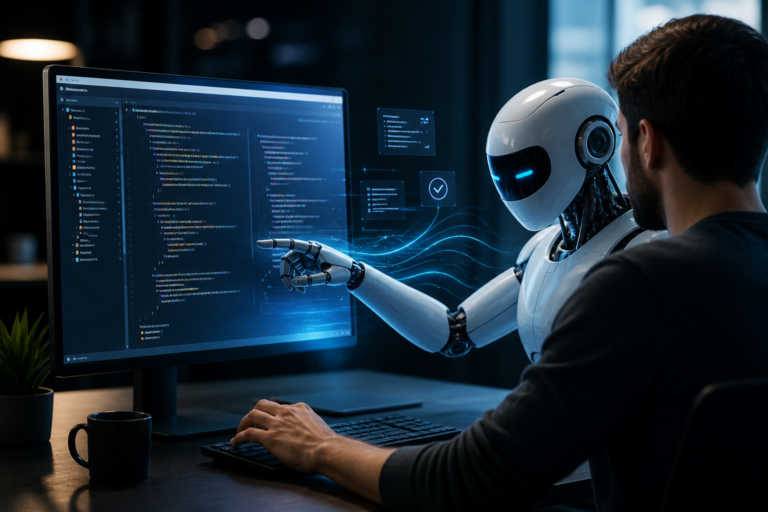
Anthropic Claude Code auto mode is the focus of this technology-news update.
Anthropic is turning Claude Code’s auto mode on by default
Anthropic has enabled auto mode by default in Claude Code, its AI-powered coding assistant, marking a notable change in how developers interact with the tool. This update minimizes the need for manual activation during code generation, potentially streamlining software development workflows. As AI coding assistants become more integrated into programming environments, default settings like this one significantly influence user experience and productivity. Understanding the specifics and broader implications of this change is important for developers, businesses, and industry observers.
You might also be interested in Claude Opus 5 launch unveils advanced AI features and capabi.What happened: Anthropic enables auto mode by default in Claude Code
In early August 2026, Anthropic announced that Claude Code would now have auto mode activated by default. This means the system proactively generates code completions and suggestions without requiring developers to enable the feature manually or issue explicit prompts. Previously, users had to engage auto mode during coding sessions to receive proactive assistance.
Anthropic communicated this change through release notes and updated support documentation but has not shared detailed internal data or user feedback that informed the decision. The company states that default auto mode aims to improve coding efficiency and reduce friction in developer workflows.
How Claude Code’s auto mode works
Claude Code’s auto mode continuously analyzes the context of the developer’s current codebase and editing environment to provide real-time code completions, function suggestions, and context-aware snippets. Unlike manual modes—where users request assistance explicitly—auto mode anticipates needs and offers help seamlessly as coding progresses.
Key distinctions between auto mode and previous manual configurations include:
– Proactive suggestions: Completions are generated automatically without explicit commands.
– Seamless integration: Suggestions appear inline or in side panels, minimizing context switches.
– Adaptive behavior: The system learns from ongoing edits and adjusts suggestion frequency and style accordingly.
For instance, as a developer begins writing a function, Claude Code in auto mode may immediately propose the function signature, relevant variable declarations, or boilerplate code. Users can then accept, modify, or dismiss these suggestions quickly.
Impact on users: Developers and coding workflows
Activating Anthropic Claude Code’s auto mode by default may significantly change how developers use the assistant. The shift eliminates extra steps to access AI support, potentially accelerating routine coding tasks and reducing interruptions. Instant, relevant code completions can help developers maintain momentum rather than waiting to trigger suggestions manually.
Potential productivity benefits include:
– Faster code generation: Automated suggestions speed up writing boilerplate or repetitive code.
– Reduced cognitive load: Developers no longer need to remember commands or shortcuts to invoke help.
– Improved onboarding: New users may find the AI assistant more accessible and intuitive.
However, some challenges might arise. Developers accustomed to controlling when AI suggestions appear could initially find auto mode intrusive or distracting. Integrating proactive completions into established workflows may require adjustment, particularly for complex or specialized coding tasks. Users might need time to fine-tune the system’s behavior or modify settings to balance automation with oversight.
Business and industry implications
From a business standpoint, enabling auto mode by default in Claude Code signals a move toward more autonomous AI coding tools. Companies adopting the assistant could realize efficiency gains, potentially shortening software development cycles. The update may also influence enterprise purchasing decisions by highlighting ease of use and out-of-the-box productivity improvements.
In the competitive AI coding assistant market, Anthropic’s decision places Claude Code alongside tools like GitHub Copilot and Tabnine, which offer varying degrees of automated suggestions. By default-enabling auto mode, Anthropic appears to emphasize proactive assistance as a key differentiator. This could prompt competitors to reevaluate their default settings and encourage broader adoption of anticipatory AI features.
More broadly, the update reflects an industry trend toward AI tools performing more with less user intervention. While this can accelerate adoption, it also raises questions about balancing automation with developer autonomy and control.
Comparison and context: Claude Code’s auto mode vs. other AI coding assistants
Many AI coding assistants provide code completions and suggestions, but default activation of auto mode in Claude Code represents a distinctive approach. For example, GitHub Copilot typically requires explicit invocation within supported editors, giving users more control over when suggestions appear. Tabnine offers configurable modes but usually defaults to manual or semi-automatic settings to avoid overwhelming users.
Claude Code’s default auto mode prioritizes continuous, low-friction assistance, aiming for seamless AI integration into coding. This contrasts with tools that emphasize user control to minimize potential distractions or incorrect suggestions.
In the broader AI coding assistant landscape, this update exemplifies a shift toward proactive AI behavior that anticipates developer needs instead of responding reactively. How users will perceive the tradeoff between automation and control over time remains to be seen.
Limitations and unknowns
Despite its potential advantages, Claude Code’s auto mode has recognized limitations. The AI’s suggestions rely heavily on training data and contextual understanding, which may not always align perfectly with a developer’s intent or project-specific coding standards. This can result in inaccurate or suboptimal code completions requiring careful review.
Additionally, the real-world impact of enabling auto mode by default on user experience has not yet been fully assessed. How developers balance accepting and rejecting suggestions, and how this affects coding accuracy and speed, remains uncertain.
From a privacy and security perspective, proactive code completion raises concerns about data handling and potential exposure of sensitive code through AI processing. Anthropic has not publicly detailed any new safeguards accompanying this change, leaving this area open to scrutiny.
What happens next: Future developments and user expectations
Looking forward, Anthropic is expected to refine Claude Code’s auto mode based on user feedback and performance data. Possible enhancements include more customization options, smarter suggestion filtering, and expanded support for various programming languages and development environments.
Developers and organizations adopting Claude Code with default auto mode enabled should monitor its effects on productivity and code quality, adjusting workflows as necessary. Early adopter feedback will be important in shaping Anthropic’s development roadmap.
More broadly, this update may accelerate the evolution of AI-assisted software development tools toward increasingly autonomous assistance models. Industry observers should watch how this influences developer preferences, tool interoperability, and standards regarding AI integration.
Key takeaways
– Anthropic Claude Code auto mode is now enabled by default, offering proactive AI coding assistance without manual activation.
– This change aims to streamline developer workflows by reducing steps needed to access AI-generated code completions.
– While potentially boosting productivity, the update requires developers to adapt to more autonomous AI behavior.
– Businesses integrating Claude Code may benefit from efficiency gains but should assess the impact on code quality and developer control.
– The move reflects broader trends toward anticipatory AI tools in software development, with competitive implications across the market.
– Limitations remain around suggestion accuracy and privacy considerations, underscoring the need for ongoing evaluation.
Conclusion
Anthropic’s decision to enable Claude Code’s auto mode by default signals a strategic shift toward more seamless and proactive AI assistance in programming. This update is poised to affect developer workflows and the competitive landscape of AI coding tools. While it promises enhanced productivity and ease of use, its success will depend on how well users adapt and how effectively Anthropic addresses concerns related to accuracy, control, and privacy. Stakeholders should monitor further refinements and user feedback in the coming months as this development contributes to the ongoing evolution of AI-assisted software development.
Frequently Asked Questions
What does it mean that Anthropic is turning Claude Code’s auto mode on by default?
It means that Anthropic’s Claude Code AI assistant will automatically activate its auto mode for users, streamlining interactions without requiring manual activation.
Who will be affected by Claude Code’s auto mode being enabled by default?
Current and new users of Claude Code will experience the auto mode as the default setting, impacting how they interact with the AI across supported platforms.
Is there any additional cost associated with Claude Code’s auto mode being on by default?
There is no publicly confirmed information indicating any extra cost for using Claude Code with auto mode enabled by default.
How does enabling auto mode by default affect user privacy and security?
Enabling auto mode does not change Anthropic’s existing privacy and security policies; user data handling remains subject to the company's standard protocols.
Can users disable the auto mode feature if they prefer manual control over Claude Code?
Yes, users can typically adjust settings to disable auto mode if they want to retain manual control, depending on the platform's available options.
Source: Original reporting

Leave a Reply