
Gemini app UI update enhances navigation with streamlined de
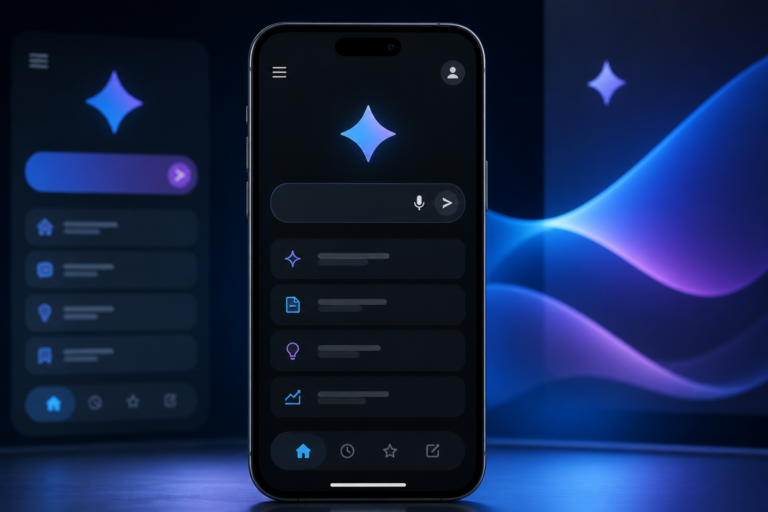
Gemini app UI update is the focus of this technology-news update.
Gemini App’s Latest UI Change Makes It Easier to Set Up Thinking Levels, Control Notifications
The Gemini app, a recognized tool in productivity and task management, has introduced a notable user interface (UI) update designed to enhance usability by simplifying the setup of thinking levels and refining notification controls. This update arrives at a time when improvements in UI are crucial for boosting engagement and efficiency within productivity software. By streamlining these key settings, Gemini aims to reduce friction for users customizing their workflows and notification preferences, thereby supporting improved focus and task prioritization.
What Happened: Overview of the Gemini App UI Update
The latest Gemini app UI update delivers a cleaner, more intuitive layout that reorganizes how users interact with two fundamental features: thinking levels and notification management. Previously, configuring thinking levels required navigating a somewhat complex menu that included a “standard” level—now removed—which many users found confusing or redundant. The update replaces this with a more straightforward process, enabling users to select and adjust their focus modes with fewer steps and clearer visual guidance.
Simultaneously, notification controls have been enhanced to offer more granular management. Users can now toggle notifications more easily, customize alert behaviors, and access these settings directly from task views or the main interface, reducing the need to delve into deeper settings menus. These modifications are part of a broader effort to minimize distractions and allow users to tailor notifications in ways that better align with their productivity patterns.
Key Details of the UI Changes
Simplified Thinking Levels Setup
A prominent element of the update is the removal of the “standard” thinking level, which previously served as a default but often added complexity. The redesign presents thinking levels as clearly labeled options grouped within a single, easily accessible panel. This reorganization facilitates quicker decision-making by lowering cognitive load when users select the depth of engagement for a task.
The user flow has been streamlined so that setting or adjusting thinking levels can be completed in two steps or fewer, a significant improvement over the prior multi-step process. The interface now uses toggle switches and sliders that provide immediate feedback, making it easier to understand the effect of each setting.
Improved Notification Management
The UI update also introduces new toggles and customization options that allow users to control which notifications they receive and when. These controls are contextually integrated, enabling adjustments directly related to specific tasks or projects without leaving the current screen.
Accessibility enhancements have been incorporated as well. Notification controls now feature better contrast and clearer iconography to assist users with visual impairments. Additionally, the update offers expanded options for scheduling “do not disturb” periods and prioritizing alerts based on task urgency or user-defined rules.
This update addresses long-standing user feedback about the complexity of setting thinking levels and the rigidity of notification controls. By simplifying the thinking level setup, Gemini removes barriers that previously discouraged users from customizing focus modes, thereby improving task prioritization and mental clarity. The refined notification controls empower users to reduce interruptions, fostering an environment more conducive to deep work.
For example, professionals managing multiple projects can allocate different thinking levels to tasks based on cognitive demand, switching between modes effortlessly without cumbersome navigation. Concurrently, advanced notification settings allow muting less critical alerts during high-focus periods, ensuring only essential notifications get through.
These enhancements are particularly valuable for workflows that involve iterative thinking or creative problem-solving, where modulating cognitive engagement and controlling distractions can significantly affect productivity.
Impact on Users, Businesses, and Developers
– User benefits: The UI update decreases the time and effort needed to configure app settings, allowing users to concentrate more on task execution. Enhanced notification controls support improved focus and reduce cognitive overload.
– Business perspective: By enhancing user experience, Gemini may experience higher retention rates and increased satisfaction. Simplified settings can ease onboarding for new users and encourage deeper engagement.
– Developer insights: The changes reflect a focus on user-centered design and a commitment to iterative UI refinement. This update likely lays the groundwork for future features emphasizing customization and accessibility.
Comparison and Context within the Productivity App Market
In the competitive productivity app market, Gemini’s UI update aligns with a growing trend toward personalized and context-aware interfaces. Competitors have also prioritized refining notification systems and task categorization to enhance user control and minimize distractions.
Gemini distinguishes itself through its nuanced approach to thinking levels—a feature not commonly found in peer applications. This update underscores an industry shift toward recognizing cognitive state management as a key component of productivity tools, extending beyond simple task tracking.
Moreover, the integration of accessibility improvements in notification management reflects a broader tech industry commitment to inclusive design, making productivity tools more usable for a diverse user base.
Limitations and Unknowns
While the Gemini app UI update represents meaningful progress, some issues remain. The removal of the “standard” thinking level, although simplifying choices, may alienate users accustomed to that default. Additionally, detailed user feedback and adoption metrics for the new interface have not yet been released, leaving the full impact unclear.
Scalability may present challenges if further customization options are introduced without careful design, potentially reintroducing complexity. How the updated UI will integrate with advanced features such as AI-based task recommendations or cross-platform synchronization remains to be seen.
What Happens Next: Future Outlook for Gemini App UI and Features
The update suggests a future trajectory where Gemini continues to evolve toward greater personalization and smarter task management. Developers may build upon the thinking level concept with AI-driven suggestions or adaptive modes responsive to user behavior.
Notification management could see further enhancements, including deeper context awareness or integration with digital wellbeing tools. The current update establishes a foundation for these advancements by emphasizing modular, easily accessible controls and improved accessibility.
Long term, Gemini may explore tighter integrations with other productivity ecosystems, leveraging UI improvements to deliver seamless experiences across devices and platforms.
Conclusion
The Gemini app UI update simplifies the setup of thinking levels and refines notification controls, thereby improving overall usability. By eliminating unnecessary complexity and enhancing customization options, this update addresses critical user challenges related to focus and task management. Although some uncertainties remain regarding user reception and future scalability, the changes represent a deliberate and thoughtful progression in productivity app design.
As productivity tools continue to advance, Gemini’s latest UI refinements highlight the importance of balancing simplicity with robust customization. Both users and businesses stand to benefit from these improvements, which foster a more efficient and distraction-resistant working environment. Observers should monitor how Gemini builds on this momentum in future releases, particularly in areas such as AI integration and cross-platform functionality.
Frequently Asked Questions
What is the latest UI change in the Gemini app about?
The latest UI update in the Gemini app simplifies setting up thinking levels and managing notifications, making these features more accessible and easier to control.
Who will benefit from the Gemini app’s new UI changes?
All Gemini app users will benefit, especially those who use thinking levels to customize their experience and want better control over notification settings.
Is the updated Gemini app UI available on all platforms?
The updated UI is rolled out to Gemini app users across supported platforms, including both iOS and Android devices.
Does the new Gemini app UI affect user privacy or data security?
The UI changes focus on usability and notification control and do not introduce changes to the app’s privacy or security policies.
Are there any limitations or known issues with the new UI update in Gemini?
No major limitations have been reported; however, users are encouraged to update to the latest version to ensure the best experience with the new UI features.
Source: Original reporting

Leave a Reply