
Pixel Watch 5 customization features expand with new watch f
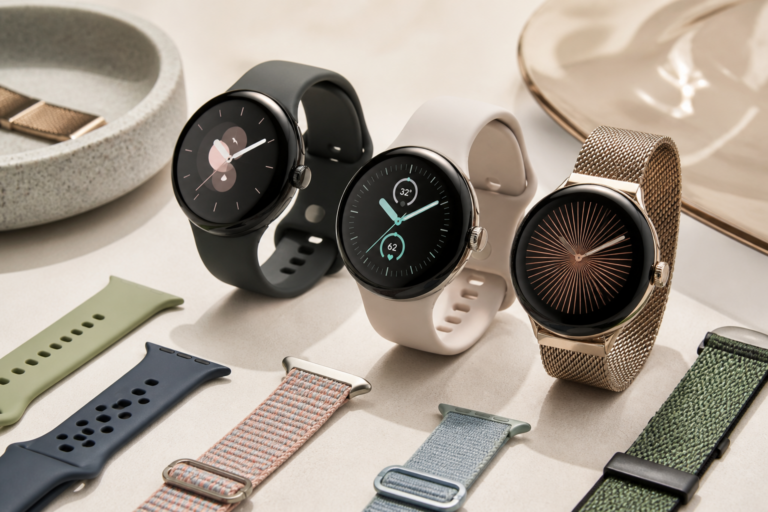
Pixel Watch 5 customization features is the focus of this technology-news update.
Pixel Watch 5 Lets You Customize Double Pinch to Dismiss Alarms, Skip Music, & More
The latest update to the Pixel Watch 5 introduces a notable enhancement to its gesture controls: users can now customize the double pinch gesture to perform various actions. This addition underscores a growing emphasis on personalization and accessibility in wearable technology. With these new customization options, users gain greater control over how they interact with their device, simplifying common tasks such as dismissing alarms and managing music playback through a straightforward hand gesture.
You might also be interested in Samsung Galaxy Watch 9 vs Google Pixel Watch 4: Key Features.What Happened: New Gesture Customization on Pixel Watch 5
Google has expanded the double pinch gesture’s functionality on the Pixel Watch 5, allowing users to assign it to different actions beyond its previous limited uses. Until now, the double pinch gesture was primarily reserved for interacting with notifications or executing a single preset command depending on context. The recent update enables users to tailor this gesture to a wider range of system functions and compatible applications.
This increased flexibility lets the double pinch gesture be set to dismiss alarms, skip to the next music track, play or pause media, and potentially activate other supported commands. The update aims to improve convenience by reducing the need to navigate menus or physically interact with the watch face for routine operations.
Key Details of the Customizable Double Pinch Gesture
Supported Actions for Double Pinch
– Dismiss alarms: Quickly silence or turn off alarms without tapping the screen.
– Skip music tracks: Advance to the next song in a playlist or streaming service.
– Play/Pause media: Control playback with a simple gesture.
– Other functions: Currently limited, but Google may expand supported actions in future updates.
How to Access and Configure the Feature
Users can customize the double pinch gesture via the Pixel Watch’s settings menu, typically found under gestures or accessibility sections. The process involves selecting the double pinch option and choosing the desired action from the available list. Reports indicate that this feature requires the latest Wear OS version compatible with the Pixel Watch 5, so keeping the device’s software up to date is essential.
The setup is designed to be user-friendly, accommodating both casual users seeking convenience and those who rely on gesture controls for accessibility purposes.
The Practical Appeal of Pixel Watch 5 Gesture Customization
The core benefit of the Pixel Watch 5 customization lies in the flexibility offered by personalizing gesture controls. The double pinch gesture—pinching the thumb and index finger twice in quick succession—provides a discreet and efficient way to interact with the watch. By enabling users to assign this gesture to functions like dismissing alarms or controlling music playback, the device adapts more effectively to individual routines and preferences.
For example, someone who frequently listens to music during workouts can configure the double pinch to skip tracks without interrupting their activity. Similarly, users with hearing difficulties might prefer the gesture to quickly silence alarms or timers without needing to look at the screen or press buttons. These practical use cases illustrate how gesture customization supports both convenience and accessibility.
By reducing friction in everyday interactions, this update allows users to complete common tasks more quickly and with less effort. Given the limited screen space on smartwatches, expanding gesture functionality represents a logical step toward enhancing usability.
Impact on Users, Developers, and the Ecosystem
For end users, customizable double pinch gestures enhance personalization and convenience, accommodating a broader range of needs and preferences. This feature also benefits those with accessibility challenges by offering an alternative input method that minimizes reliance on touch or voice commands.
From a developer’s perspective, this update may encourage deeper integration of gesture controls within third-party apps. As Google expands the set of supported actions, app developers might find new opportunities to incorporate gesture inputs for more intuitive control schemes, potentially boosting app engagement on Wear OS devices.
Strategically, this update aligns with Google’s vision of wearable devices as customizable and adaptive tools rather than one-size-fits-all gadgets. Prioritizing customizable gestures strengthens the Pixel Watch 5’s position in the competitive smartwatch market by appealing to users who value both simplicity and control.
Comparison and Context: Gesture Controls Across Smartwatches
Gesture controls have become a key differentiator among smartwatches. For instance, Apple Watch offers several gesture inputs, including a “cover to mute” feature and wrist gestures introduced in recent models. Samsung Galaxy Watch devices support hand and wrist gestures for media control and call management.
However, the Pixel Watch 5’s approach—allowing users to customize a specific gesture like the double pinch with multiple actions—is relatively unique. While other platforms tend to provide predefined gestures, Google’s update emphasizes user choice in tailoring gestures to personal workflows.
This reflects a broader trend in wearable technology toward more flexible, user-centric interfaces that acknowledge no single gesture fits all users equally.
Limitations and Unknowns
Despite its promise, the Pixel Watch 5 customization currently supports only a limited set of actions assignable to the double pinch gesture, mainly system functions such as alarms and media controls. It remains unclear when or if additional commands or third-party app functions will be supported.
Official documentation detailing the feature’s full scope, compatibility across apps, and hardware requirements remains sparse. User feedback is limited due to the update’s recent release, so potential bugs or usability issues may emerge over time.
Early reports have not identified significant problems, but as with many software updates, real-world usage will reveal how well the customization performs under varied conditions.
What Happens Next: Future of Gesture Interaction on Pixel Watch
Looking ahead, these Pixel Watch 5 customization features could pave the way for more advanced gesture interactions in future Wear OS updates. Google has shown ongoing interest in expanding input methods beyond touch and voice, including motion sensors and contextual gestures.
Future enhancements might include finer gesture recognition, support for additional customizable actions, and deeper integration with third-party applications. Hardware improvements in upcoming Pixel Watch models could also improve gesture detection accuracy and responsiveness.
Users and developers should watch for announcements regarding Wear OS updates and Pixel Watch hardware revisions, as these will likely influence the evolution of gesture controls. The trajectory points toward gradual but meaningful expansion of gesture-based interaction paradigms on the platform.
Key Takeaways
– Pixel Watch 5 introduces user-configurable double pinch gestures, enhancing device versatility.
– Users can assign actions such as dismissing alarms and skipping music tracks to the gesture, improving convenience and accessibility.
– Configuration is accessible through the watch’s settings and requires the latest compatible Wear OS version.
– Compared to competitors, Google emphasizes personalized gesture control rather than fixed presets.
– Current limitations include a narrow selection of customizable actions and limited official documentation.
– The update aligns with Google’s broader strategy of prioritizing adaptability and user choice in wearables.
Conclusion
The addition of customizable double pinch gestures on the Pixel Watch 5 represents a meaningful advancement in wearable interaction. By enabling users to tailor this simple yet effective gesture to multiple functions like dismissing alarms and managing music playback, Google addresses both convenience and accessibility needs. Although the feature remains in early stages with some limitations, it signals a shift toward more personalized and flexible input methods on smartwatches.
As the wearable landscape evolves, updates like this highlight the growing role of gesture controls in shaping user experience. Observers should monitor how Google expands these customization options and integrates them within the broader app ecosystem, potentially setting new standards for gesture interaction on future Pixel Watch models and Wear OS devices.
Frequently Asked Questions
What new customization feature does the Pixel Watch 5 offer for the double pinch gesture?
The Pixel Watch 5 allows users to customize the double pinch gesture to perform actions such as dismissing alarms and skipping music tracks.
Who can use the double pinch customization feature on the Pixel Watch 5?
Owners of the Pixel Watch 5 running the latest software update can access and customize the double pinch gesture functionality.
Is the double pinch customization feature available on earlier Pixel Watch models?
No, the double pinch customization feature is currently exclusive to the Pixel Watch 5 with its latest software version.
Does customizing the double pinch gesture affect the watch’s battery life or performance?
There is no indication that customizing the double pinch gesture negatively impacts the Pixel Watch 5’s battery life or overall performance.
How can users customize the double pinch gesture on their Pixel Watch 5?
Users can customize the double pinch gesture through the Pixel Watch 5 settings menu, under gesture or accessibility options.
Source: Original reporting

Leave a Reply