
Windows 11 8GB PC Performance Tested: Real-World Results Rev
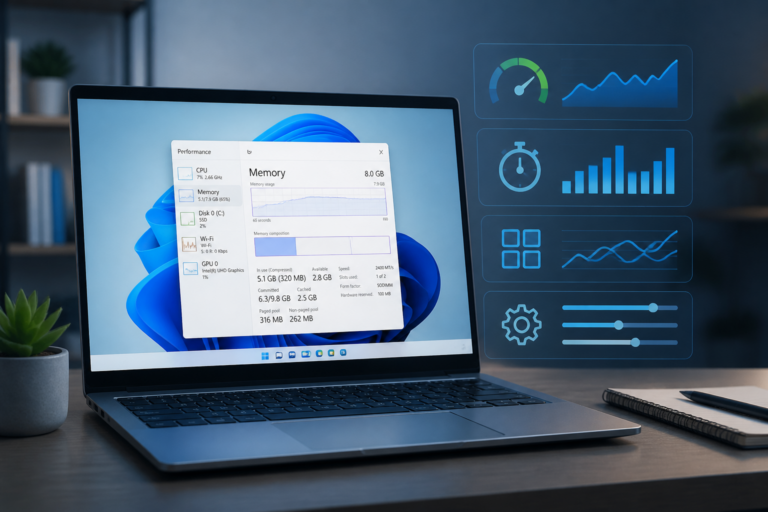
Windows 11 8GB PC performance is the focus of this technology-news update.
Windows 11’s Next Big Priority: Making 8GB PCs Less Painful to Use
As the PC market evolves, one constant remains clear: a significant portion of Windows users rely on machines equipped with 8GB of RAM. Recognizing the challenges these devices face under Windows 11, Microsoft has prioritized enhancing performance on 8GB PCs to improve speed, stability, and overall usability for this widespread hardware segment. This focus represents a strategic shift to better support mid-range PCs and ensure that users with limited memory resources encounter fewer slowdowns and frustrations.
Why Optimizing Windows 11 for 8GB RAM PCs Matters
Configurations with 8GB of RAM have become a common baseline for many laptops and desktops due to their affordability and a reasonable balance between performance and cost. However, Windows 11’s expanding feature set and graphical enhancements have increased demands on these systems, resulting in occasional slowdowns, limited multitasking capabilities, and system instability. For users and businesses unwilling or unable to upgrade hardware frequently, this creates a usability barrier.
Improving performance on 8GB machines is essential not only for maintaining user satisfaction but also for extending the practical lifespan of existing hardware. By optimizing memory use and system responsiveness, Microsoft aims to reduce the need for costly upgrades and support a larger portion of the Windows user base.
What Prompted Microsoft’s Focus on 8GB RAM Devices?
Microsoft’s decision to prioritize improvements for 8GB RAM PCs arises from multiple converging factors. User feedback has highlighted performance bottlenecks, particularly under heavier workloads or during multitasking. Market data also confirms that many consumers and businesses continue to rely on mid-tier devices with 8GB of memory, making this segment critical.
Competitive pressures contribute as well. Apple’s recent launch of the MacBook Neo, configured with 8GB RAM but tightly integrated with its operating system and custom silicon, has set new performance expectations for such hardware. Unlike the MacBook Neo’s seamless experience, Windows PCs with 8GB RAM have struggled, underscoring the need for Microsoft to innovate in memory management and system efficiency.
Key Changes in Windows 11 Targeting 8GB RAM Systems
Memory Management Improvements
Windows 11 now features enhanced memory allocation and prioritization. Microsoft is implementing a more efficient memory allocator designed to reduce overhead across apps and system components. This approach minimizes unnecessary consumption by background processes, freeing more memory for active tasks.
Another significant advancement involves refinements to WinUI 3, the user interface framework underlying many Windows elements. According to Microsoft’s head of Windows + Devices, Pavan Davuluri, efforts to optimize WinUI 3 have resulted in apps built on this framework being more memory-efficient by design.
Storage and Paging File Enhancements
Windows 11 also improves the use of virtual memory and SSD caching, which is crucial when physical RAM is limited. Smarter management of paging files and temporary storage helps maintain responsiveness during multitasking or when running memory-intensive applications. These changes reduce the frequency and severity of slowdowns typically experienced on 8GB systems.
Impact on Users, Businesses, and Developers
For End Users
– Smoother everyday interactions, including web browsing, document editing, and media consumption.
– Enhanced multitasking capabilities, allowing more tabs and applications to remain open simultaneously without notable slowdowns.
– Fewer system freezes or crashes related to memory exhaustion.
For Businesses
– Extended lifespan of existing hardware fleets with 8GB RAM, delaying costly refresh cycles.
– Potential operational cost savings by improving performance on current devices instead of purchasing new ones.
– Increased employee productivity due to smoother computing experiences on standard-issue devices.
For Developers
– New opportunities to optimize apps using the updated WinUI 3 framework, benefiting from built-in memory efficiencies.
– Challenges in balancing feature richness with resource constraints, encouraging more deliberate design choices for apps targeting 8GB RAM systems.
– Greater emphasis on testing applications under constrained environments to maintain performance standards.
Comparison with Previous Windows Versions and Alternatives
Compared to Windows 10, Windows 11 is more resource-intensive, partly due to its redesigned UI and added features. While Windows 10 delivered reasonable performance on 8GB RAM devices, Windows 11 initially struggled to match that efficiency. Microsoft’s current efforts signal a course correction aimed at narrowing this gap.
When compared with alternative operating systems, particularly Apple’s macOS running on tailored hardware, Windows 11’s challenges on 8GB RAM PCs become more evident. Apple’s integration between software and custom silicon enables smooth performance even on modest RAM configurations. Microsoft’s strategy relies on software optimizations to bridge this divide, acknowledging that Windows must operate across a broad range of hardware from numerous manufacturers.
Limitations and Unknowns of the Current Update
Despite these improvements, certain limitations remain. Performance gains may vary depending on specific hardware configurations, including older CPUs, slower storage devices, or integrated graphics. Some users may still experience bottlenecks when running demanding applications or handling extensive multitasking.
Additionally, Microsoft has not disclosed all technical details or provided extensive benchmarks publicly, leaving some uncertainty about the full scope and impact of the memory optimizations. Further updates and community feedback will be necessary to assess long-term outcomes.
What Happens Next: Future Updates and Long-Term Strategy
Microsoft has indicated that memory optimization efforts will continue through the end of 2026, involving incremental refinements based on user feedback. The company plans ongoing improvements in the efficiency of core Windows components such as the Taskbar, Start menu, and File Explorer, while balancing new features with performance demands.
More broadly, Microsoft appears committed to supporting older and less powerful hardware as part of its Windows ecosystem strategy. This approach aims to maintain Windows’ market share by making the OS more accessible and usable across a wider array of devices.
In Summary
Microsoft’s focus on Windows 11 8GB PC performance addresses a significant pain point for many users. By improving memory management, optimizing key system components, and refining the user experience, Microsoft aims to transform 8GB RAM devices from liabilities into viable, productive machines.
This initiative acknowledges the diversity of the PC market and the need to deliver consistent, smooth experiences even on hardware that is not top-tier. For users, businesses, and developers alike, these enhancements promise better stability and efficiency, enabling more effective computing without immediate hardware upgrades.
Key Takeaways
– 8GB RAM remains a common configuration, making optimization efforts essential.
– Microsoft is investing in memory efficiency across Windows 11 components, including WinUI 3 and virtual memory handling.
– Improvements benefit end users, businesses, and developers by enhancing performance and extending device lifespans.
– Despite advances, some hardware limitations persist, and the full impact will become clearer with ongoing updates.
– Microsoft’s continued focus through 2026 signals a long-term commitment to improving Windows usability on mid-range PCs.
As Microsoft progresses with this initiative, users should watch for upcoming Windows 11 updates that deliver tangible performance improvements on 8GB RAM systems. These refinements will play a key role in shaping the future Windows experience, ensuring the platform remains accessible and efficient across a broad spectrum of devices.
Frequently Asked Questions
What is Microsoft doing to improve Windows 11 performance on 8GB RAM PCs?
Microsoft is focusing on optimizing Windows 11 to run more efficiently on devices with 8GB of RAM by improving memory management and reducing system resource usage to enhance overall user experience.
Who will benefit most from these Windows 11 improvements?
Users with PCs that have 8GB of RAM or less will benefit most, as the optimizations aim to make the operating system more responsive and less resource-intensive on lower-memory devices.
When will these Windows 11 improvements for 8GB RAM PCs be available?
Microsoft plans to roll out these performance improvements through upcoming Windows 11 updates, though specific release dates have not yet been announced.
Will these changes affect the compatibility of apps or hardware on 8GB PCs?
No, the improvements focus on system-level optimizations and are designed to maintain existing app and hardware compatibility without requiring changes from users or developers.
Are there any limitations to the improvements for 8GB RAM PCs in Windows 11?
While optimizations will enhance performance, PCs with 8GB RAM may still face limitations running very heavy applications or multitasking extensively compared to higher-memory systems.
Source: Original reporting

Leave a Reply