
PC gaming upgrades under 100 improve performance and visuals
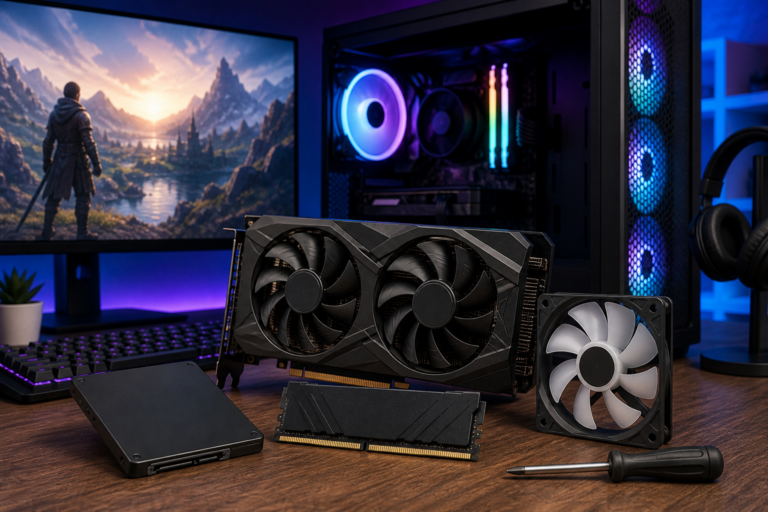
PC gaming upgrades under 100 is the focus of this technology-news update.
8 PC Gaming Upgrades Under $100 That Don’t Feel Cheap
In 2024, the increasing cost of new gaming hardware continues to challenge both enthusiasts and casual players. However, enhancing your gaming setup does not always require a substantial financial commitment. There are numerous PC gaming upgrades under $100 that deliver meaningful improvements in performance, comfort, and aesthetics without compromising quality. By carefully selecting the right components and accessories, gamers can significantly elevate their experience, demonstrating that affordability does not necessarily equate to low quality. This article highlights eight such upgrades that offer excellent value and enhance gameplay in practical ways.
Understanding the Value of Budget-Friendly PC Gaming Upgrades
When considering PC gaming upgrades under $100, it is important to distinguish worthwhile purchases from low-cost accessories that ultimately disappoint. An upgrade that “doesn’t feel cheap” typically features solid build quality, dependable performance, and a noticeable positive impact on the user experience. Many budget peripherals fall short due to flimsy materials, limited functionality, or compatibility issues, which can frustrate users and negate any initial savings.
Recent advances in technology and manufacturing have made it possible to find peripherals and components that strike a better balance between price and quality. For instance, gaming mice now often include high-precision optical sensors and programmable buttons at more accessible price points, while docking stations offer expanded connectivity options tailored for gaming laptops. These developments benefit gamers looking to optimize their setups without incurring significant expenses.
8 PC Gaming Upgrades Under $100 That Don’t Feel Cheap
After reviewing the current market, the following eight upgrades stand out for their quality, usefulness, and affordability. Each addresses a specific aspect of the gaming experience, from input accuracy to audio immersion.
Upgrade 1: High-Quality Gaming Mouse with Adjustable DPI
A reliable mouse is essential for precision and responsiveness in gaming. Options such as the Razer Basilisk V3 X HyperSpeed provide features commonly found in premium models, including an 18,000 DPI optical sensor and programmable buttons, all for under $100. These devices offer fast, accurate tracking vital for competitive play without feeling like budget alternatives.
Upgrade 2: Mechanical Keyboard with Durable Switches
Mechanical keyboards enhance both typing and gaming through tactile feedback and quicker key response times. Although premium models can be costly, many manufacturers now offer mechanical keyboards equipped with quality switches—such as Cherry MX or comparable alternatives—priced below $100. These keyboards often feature customizable RGB lighting and ergonomic designs, improving functionality and style.
Upgrade 3: Enhanced Gaming Headset with Surround Sound Support
Audio quality plays a crucial role in immersion and situational awareness. Affordable headsets like the Turtle Beach Stealth 600 provide wireless convenience and surround sound capabilities, enabling clear communication and precise detection of in-game audio cues. These headsets balance comfort, sound fidelity, and durability while remaining under the $100 threshold.
Upgrade 4: RGB Lighting Kits for Aesthetics and Immersion
RGB lighting has become a popular way to personalize gaming setups. Kits including LED strips and customizable controllers can transform the gaming environment, enhancing immersion without a high cost. These kits are generally easy to install and compatible with many PC cases and desks, offering visual appeal without compromising build quality.
Upgrade 5: External SSD for Faster Game Load Times
Lengthy loading times can detract from the gaming experience, especially with large open-world titles. External solid-state drives (SSDs) under 1TB are now available for less than $100 and provide significantly faster data transfer speeds compared to traditional hard drives. This upgrade reduces waiting times and adds storage flexibility for game libraries.
Upgrade 6: USB DAC or External Sound Card for Improved Audio Clarity
While many onboard audio solutions suffice, they can lack clarity and depth. A USB digital-to-analog converter (DAC) or external sound card enhances sound quality by reducing noise and improving detail. Models priced below $100 support high-resolution audio and often include headphone amplifiers, making them suitable for gamers seeking superior sound without investing in costly audio equipment.
Upgrade 7: Monitor Calibration Tools for Better Color Accuracy
Visual fidelity is essential for experiencing games as developers intended. Affordable calibration tools assist in adjusting brightness, contrast, and color profiles on gaming monitors, ensuring more accurate images and reducing eye strain during extended play. Although professional calibration devices tend to be expensive, budget-friendly options still provide noticeable improvements in display quality.
Upgrade 8: Cooling Pads or Additional Case Fans for Thermal Management
Maintaining optimal temperatures prevents thermal throttling that can degrade game performance. Cooling accessories such as laptop cooling pads or extra case fans improve airflow and heat dissipation. Many quality cooling solutions are priced under $100 and are straightforward to install, helping extend hardware lifespan and maintain system stability during intense gaming sessions.
Impact on Gamers and Developers
Each of these upgrades contributes to a more responsive and comfortable gaming environment. Enhanced input devices reduce latency and improve accuracy, while better audio setups increase immersion and communication clarity in multiplayer games. Visual enhancements through lighting and calibration elevate aesthetics and reduce fatigue, and effective cooling safeguards consistent performance.
From a developer’s perspective, the availability of quality budget upgrades allows games to be designed with a wider range of hardware capabilities in mind. This inclusivity helps maintain a positive user experience across diverse system configurations, benefiting the gaming community overall.
Comparison with Higher-End Alternatives
While premium gaming peripherals and components often offer additional features, greater customizability, and sometimes superior materials, the gap in core functionality between sub-$100 upgrades and their high-end counterparts is narrowing. For many gamers, the value these affordable options provide justifies modest compromises in advanced features or ultra-premium construction.
Investing beyond $100 is warranted when specific professional-grade performance or durability is required, such as in esports or content creation. However, for most players, these budget upgrades deliver a meaningful improvement in experience at a fraction of the cost.
Limitations and Considerations When Choosing Budget Upgrades
Despite their advantages, budget gaming upgrades have potential trade-offs. Durability may be lower compared to premium products, and some advanced features—such as ultra-high polling rates or extensive macro customization—might be absent. Compatibility issues can occur, particularly with docking stations or external devices, so verifying system requirements is essential.
Additionally, budget options may not always be future-proof against rapidly evolving game demands or hardware standards. Gamers should consider their current needs and upgrade paths carefully to avoid frequent replacements.
What Happens Next: Trends in Affordable PC Gaming Upgrades
Looking ahead, advancements such as improved wireless technologies, more efficient power delivery, and AI-driven customization are expected to enhance budget gaming accessories. Manufacturers are likely to continue refining production processes, bringing higher quality to lower price ranges.
Gamers can stay informed by following trusted technology news sources and user reviews, enabling smarter purchasing decisions and timely upgrades that maximize value.
Conclusion: Maximizing Gaming Value Without Overspending
The market for PC gaming upgrades under $100 is increasingly promising, offering options that enhance gaming experiences without the high costs associated with premium gear. By focusing on thoughtful, quality-oriented upgrades—such as high-precision mice, mechanical keyboards, quality audio devices, and effective cooling—players can enjoy improved performance and comfort.
Gamers should assess their specific requirements, compatibility, and long-term goals when selecting budget upgrades. With careful choices, it is possible to build a gaming setup that feels robust and capable without overspending. As the market evolves, affordable enhancements will continue to provide a practical path for enthusiasts seeking better PC gaming experiences.
Key Takeaways
– Affordable upgrades can significantly improve gaming performance and comfort without sacrificing quality.
– High-quality gaming mice, mechanical keyboards, and headsets are accessible under $100 and offer features once reserved for premium models.
– Additional accessories like external SSDs, USB DACs, and cooling solutions address performance bottlenecks and system stability.
– Compatibility and durability should be carefully evaluated to ensure long-term value.
– Emerging technologies promise continued enhancement of budget gaming gear, facilitating smarter upgrades in the future.
Frequently Asked Questions
What are some effective PC gaming upgrades under $100 that improve performance or experience?
Popular upgrades under $100 include a high-quality gaming mouse, mechanical keyboard switches or keycaps, improved cooling fans, RGB lighting kits, and a better mouse pad. These enhance control, comfort, and aesthetics without costly hardware changes.
Are these upgrades compatible with most PC gaming setups?
Yes, most peripherals like gaming mice, keyboards, cooling fans, and RGB kits are designed to be broadly compatible with standard PC hardware and operating systems, but it's advisable to check specific product requirements for your setup.
Will upgrading components under $100 significantly boost gaming performance?
While budget upgrades may not dramatically increase frame rates like a new GPU would, they can improve responsiveness, cooling efficiency, and user comfort, leading to a better overall gaming experience.
Do these upgrades have any privacy or security concerns?
Standard gaming peripherals and accessories typically do not pose privacy or security risks. However, some software accompanying RGB lighting or macro features may require internet access, so users should download from official sources and review permissions.
Where can gamers find reliable products for upgrades under $100?
Gamers can purchase quality budget upgrades from reputable retailers like Amazon, Newegg, or manufacturer websites such as Logitech, Corsair, and Cooler Master, ensuring product authenticity and warranty support.
Source: Original reporting

Leave a Reply