
best laptops for engineering students in 2024: Top models re
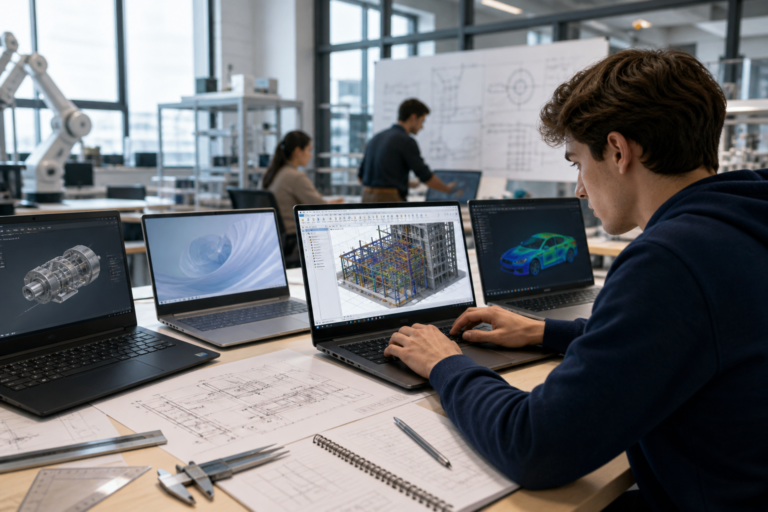
Best laptops for engineering students: Top 4 picks for power and portability
Engineering students need laptops that strike an effective balance between substantial computational power and portability. Whether running demanding CAD software, performing simulations, or multitasking across multiple applications, the choice of laptop can significantly impact academic performance and workflow efficiency. As software requirements evolve and campus life demands greater mobility, updated recommendations for the best laptops for engineering students are essential to support informed purchasing decisions. This article highlights four notable laptop models that blend performance and portability, reflecting recent hardware advances designed to meet the demands of engineering coursework.
Key criteria for selecting laptops suited to engineering students
Selecting the best laptops for engineering students requires careful evaluation of hardware and usability factors that influence both performance and convenience.
Processing power
The CPU plays a central role in engineering workloads, which often involve complex calculations and multitasking. Multicore processors with high clock speeds are necessary to run software such as AutoCAD, SolidWorks, MATLAB, and various simulation tools smoothly. Modern AMD Ryzen and Intel Core processors featuring multiple cores and threads provide a solid foundation for these tasks.
Graphics capabilities
Many engineering applications depend heavily on graphics performance, particularly for 3D modeling, rendering, and visualization. Although integrated GPUs have improved substantially, dedicated graphics cards remain advantageous for more graphics-intensive CAD work. Nonetheless, some students may find that a powerful integrated GPU paired with a capable CPU adequately meets their needs.
Memory and storage
A minimum of 16GB of RAM is recommended to ensure smooth multitasking and efficient handling of large files and projects. Solid-state drives (SSDs) deliver fast data access and system responsiveness, which are critical to maintaining workflow efficiency. Storage capacities of 512GB or greater are preferable to accommodate software installations and project files.
Portability factors
Given the mobile nature of student life, weight and battery life are key considerations. Lightweight designs (typically under 3 pounds) and slim profiles enhance comfort when moving between lectures, labs, and study areas. Batteries that support all-day use without frequent recharging provide a significant advantage.
Connectivity options
Engineering students often require a variety of ports to connect peripherals such as external displays, USB drives, and networking equipment. Essential ports include USB Type-A and Type-C with Thunderbolt support, HDMI or DisplayPort outputs, and headphone jacks. Wireless standards like Wi-Fi 6 ensure fast and reliable internet connectivity for collaboration and research.
Top 4 laptops combining power and portability
| Laptop Model | Processor | Graphics | Weight | Battery Life | Key Strength |
|—————————-|————————|——————-|———–|——————|————————————|
| Asus Zenbook 14 OLED | AMD Ryzen 7 | Integrated GPU | 2.82 lbs | 16+ hours | Balanced power and battery life |
| Dell 14S | Intel Core Ultra 7 355 | Integrated GPU | Lightweight (unspecified) | Up to 36 hours | Exceptional battery life |
| Lenovo ThinkPad X1 Carbon Gen 11 | Intel Core i7 (12th Gen) | Integrated Iris Xe | 2.48 lbs | Up to 15 hours | Durable build and keyboard quality |
| HP Spectre x360 14 | Intel Core i7 (11th Gen) | Integrated Iris Xe | 3.0 lbs | Up to 12 hours | Versatile convertible design |
Asus Zenbook 14 OLED
The Asus Zenbook 14 OLED emerges as the best overall choice for engineering students seeking a combination of power, portability, and display quality. Equipped with an AMD Ryzen 7 processor, it handles intensive applications such as CAD and programming efficiently. Its 14-inch OLED touchscreen with a 1920×1200 resolution provides vivid colors and sharp visuals, which enhance clarity when working with detailed diagrams and 3D models. The laptop delivers over 16 hours of battery life, supporting extended use during lectures and lab sessions. While its keyboard and connectivity options are modest, the Zenbook’s sturdy construction and lightweight design suit students who are frequently on the move.
Dell 14S
For those prioritizing battery longevity, the Dell 14S offers a compelling option. Powered by an Intel Core Ultra 7 355 processor and equipped with a 69 watt-hour battery, it achieves nearly 36 hours of continuous video playback in testing—an exceptional figure for an engineering laptop. This endurance enables students to work throughout long days without frequent recharging. The laptop features a sleek aluminum chassis and a colorful, accurate display. However, its 3D graphics performance is limited and may not meet the demands of users requiring intensive visualization.
Lenovo ThinkPad X1 Carbon Gen 11
The Lenovo ThinkPad X1 Carbon Gen 11 is a premium ultrabook that combines lightweight portability with business-class durability and performance. Featuring a 12th Generation Intel Core i7 processor and integrated Iris Xe graphics, it delivers reliable speed for common engineering tasks. Its well-regarded keyboard enhances typing comfort during report writing and coding, while the robust chassis withstands the demands of campus life. Battery life is competitive, supporting full-day use, and multiple ports provide versatility for connecting various peripherals across engineering disciplines.
HP Spectre x360 14
The HP Spectre x360 14 offers versatility with its convertible design, functioning as both a laptop and tablet. This feature benefits students who prefer to sketch ideas or annotate documents directly on the touchscreen. Powered by an 11th Gen Intel Core i7 and integrated Iris Xe graphics, it delivers solid performance for engineering software. Though slightly heavier than some competitors and with shorter battery life, its premium build quality and high-resolution display make it a strong choice for students valuing both form and function.
How these laptops compare to other options
Engineering students often consider gaming laptops and workstation-class machines for their powerful CPUs and GPUs. However, many gaming laptops compromise portability and battery life in favor of raw power, resulting in bulkier designs and shorter runtimes. Conversely, ultra-portable laptops may lack the processing power required for demanding engineering applications.
The four laptops highlighted here distinguish themselves by balancing these factors. They provide sufficient processing and graphics capabilities to run widely used engineering software effectively, while delivering portability features essential for student life. Their efficient processors and high-capacity batteries align with industry trends favoring power-efficient yet capable silicon, paired with vibrant, high-resolution displays that enhance visual precision.
Impact on users: Benefits of these updated laptop recommendations
– Enhanced user experience: Students gain access to laptops capable of running complex engineering software without lag, facilitating smoother project development and experimentation.
– Increased productivity: Long battery life and lightweight designs reduce downtime and fatigue, supporting extended study sessions and mobility across campus.
– Improved collaboration: Robust connectivity options and accurate displays enable effective teamwork and presentations, critical components of modern engineering education.
– Informed purchasing decisions: Clear information on laptop strengths helps students select devices that align with their specific coursework and budgets.
Limitations and unknowns in current laptop options for engineering students
Despite technological progress, trade-offs persist when seeking both high performance and portability. Thermal constraints in thin laptops may lead to CPU or GPU throttling under sustained heavy workloads. Upgradeability is often limited, with soldered RAM or storage restricting future enhancements. Additionally, some laptops rely on integrated graphics that, while improved, may fall short for the most graphics-intensive simulations or 3D rendering tasks.
There is also uncertainty regarding how future updates to engineering software might increase hardware demands, potentially outpacing current models. Students and institutions should monitor emerging requirements to avoid premature obsolescence. Furthermore, balancing price and performance remains challenging, as powerful laptops often carry premium costs that may limit accessibility.
What happens next: Emerging trends shaping future engineering laptops
Advances in processor architectures, including upcoming AMD Ryzen and Intel Core series, promise further gains in power efficiency and multithreaded performance—both critical for engineering applications. GPU technologies continue evolving, with integrated graphics narrowing the gap with entry-level dedicated cards, potentially reducing reliance on heavier discrete GPUs in student laptops.
Battery innovations, such as higher energy density cells and enhanced power management, are expected to extend runtimes further, improving portability. Developments in materials science may produce lighter yet more durable chassis materials, easing the burden of carrying laptops around campus.
On the software side, anticipated increases in simulation complexity and data sizes will continue to shape hardware requirements. Integration with cloud computing may influence laptop designs by offloading heavy computations to remote servers, thereby reducing local processing demands.
These trends could also influence student purchasing behavior, favoring devices that integrate seamlessly with cloud-based workflows and offer versatile usage modes.
Conclusion: Navigating the evolving laptop landscape for engineering students
Selecting the best laptops for engineering students necessitates careful consideration of performance, portability, and battery life. The Asus Zenbook 14 OLED, Dell 14S, Lenovo ThinkPad X1 Carbon Gen 11, and HP Spectre x360 14 each provide a distinctive combination of these attributes, supporting a range of engineering workflows and preferences.
As technology and educational requirements continue to evolve, students and educators should regularly reassess laptop choices to ensure alignment with current software demands and mobility needs. Staying informed about hardware advancements and institutional recommendations will help engineering students optimize their productivity and learning experiences throughout their academic careers.
Key takeaways
– The best laptops for engineering students balance powerful CPUs and adequate graphics with lightweight design and long battery life.
– Models such as the Asus Zenbook 14 OLED and Dell 14S exemplify this balance, excelling in both performance and portability.
– Thermal management and limited upgradeability remain challenges for thin, light engineering laptops.
– Emerging processor and battery technologies promise ongoing improvements for future student laptops.
– Continuous evaluation of hardware against software requirements is essential to ensure laptops remain suitable throughout engineering studies.
Frequently Asked Questions
What features should engineering students look for in a laptop?
Engineering students should prioritize laptops with powerful processors (Intel i5/i7 or AMD Ryzen 5/7), at least 8GB of RAM, dedicated graphics for 3D modeling, ample storage (SSD preferred), and good battery life for portability.
Are the top recommended laptops for engineering students suitable for software like AutoCAD and MATLAB?
Yes, the best laptops for engineering students typically have the hardware required to run software like AutoCAD, MATLAB, SolidWorks, and other engineering applications smoothly.
How much do high-performance laptops for engineering students generally cost?
High-performance laptops suitable for engineering students usually range from $800 to $1500, depending on specifications like CPU, GPU, RAM, and storage.
Can engineering students rely on these laptops for both academic work and portability?
Yes, the top picks balance power and portability, allowing students to run demanding engineering software while being lightweight enough for daily campus use.
Are there any privacy or security concerns to consider with these laptops?
Standard security measures like regular software updates, antivirus protection, and using encrypted drives are recommended; the laptops themselves do not pose unique privacy risks.
Source: Original reporting

Leave a Reply